Been using emClient 10.x for almost a year but I am close to going back to Thunderbird. The big problem is that one of the major email accounts that I use is MAPI but has a quirk in that the server does not delete drafts once the email message is sent. The result is the draft folder on the account has multiple draft messages sitting on the server. Under Thunderbird that was no issue. I would just delete those draft messages. I still have the message to which I replied to, sitting in the account’s Inbox.
However in emClient I wind up loosing the original email message in the Inbox. The only place I see the original message is in the account’s sent folder below my reply!
Under Thunderbird that was no issue. I would just delete those draft messages. I still have the message to which I replied to, sitting in the account’s Inbox. However in emClient I wind up loosing the original email message in the Inbox.
Ok sounds like you have Coversation view enabled as deleting drafts doesn’t normally delete Inbox messages if you have Conversation view disabled.
So if you are using Coversation view and you reply to a message conversation in your Inbox and save it as draft, if you just delete the message in the draft via the subject line it will also delete the entire message conversation in your Inbox.
So there is two ways to delete the draft message in a conversation.
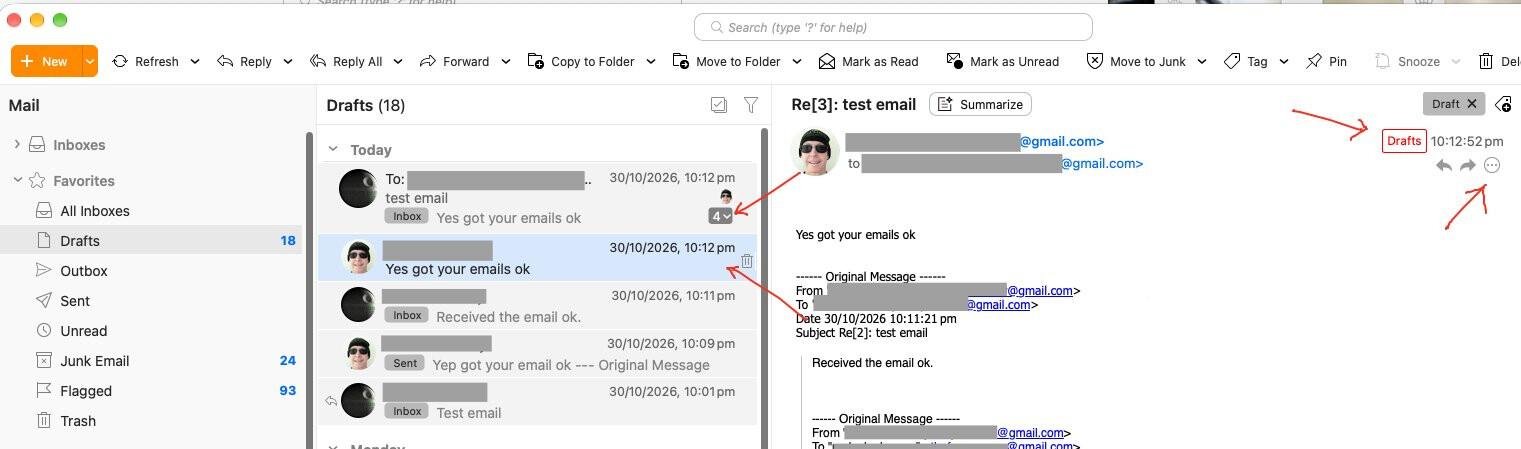
First “at the far right of the draft subject” you will see “a number” as in the example screenshot below that shows how many messages are in the conversation in the Inbox.
Then “if you click the number” your draft message “will usually show underneath at the top or the bottom of the Conversation” depending on how to have set your message Settings.
Once you find your draft message, “either hover your mouse to the far right of the subject” and you will see a delete / trashcan icon to delete it, or “in the message body of the draft at the top right” where you see “Draft in Red”, click the three dots on the right and delete the draft message on the dropdown menu.
Either way will then delete your draft message without deleting your original message conversation in your Inbox.
Appreciate your replies as always. Thanks for the explanation and that is indeed what the issue is. I am on Windows here, and I do not see that delete icon.
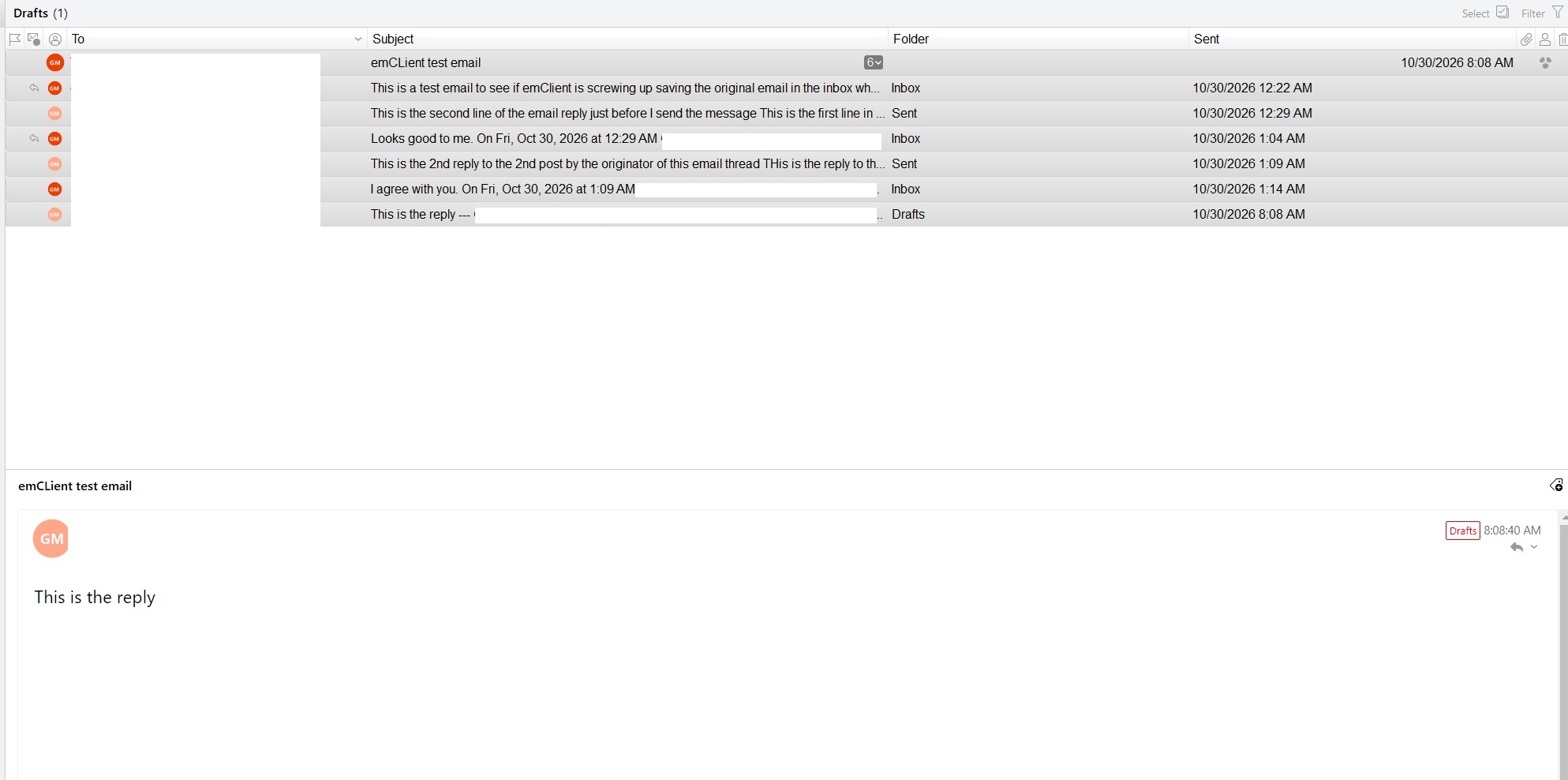
This is what I see. The message in the lower panel is the draft message in the upper panel.
After a bit more testing I discovered that when you click on a Draft message in the upper window there is TRASH icon that allows you to delete the saved Draft message(s) without affect the thread.