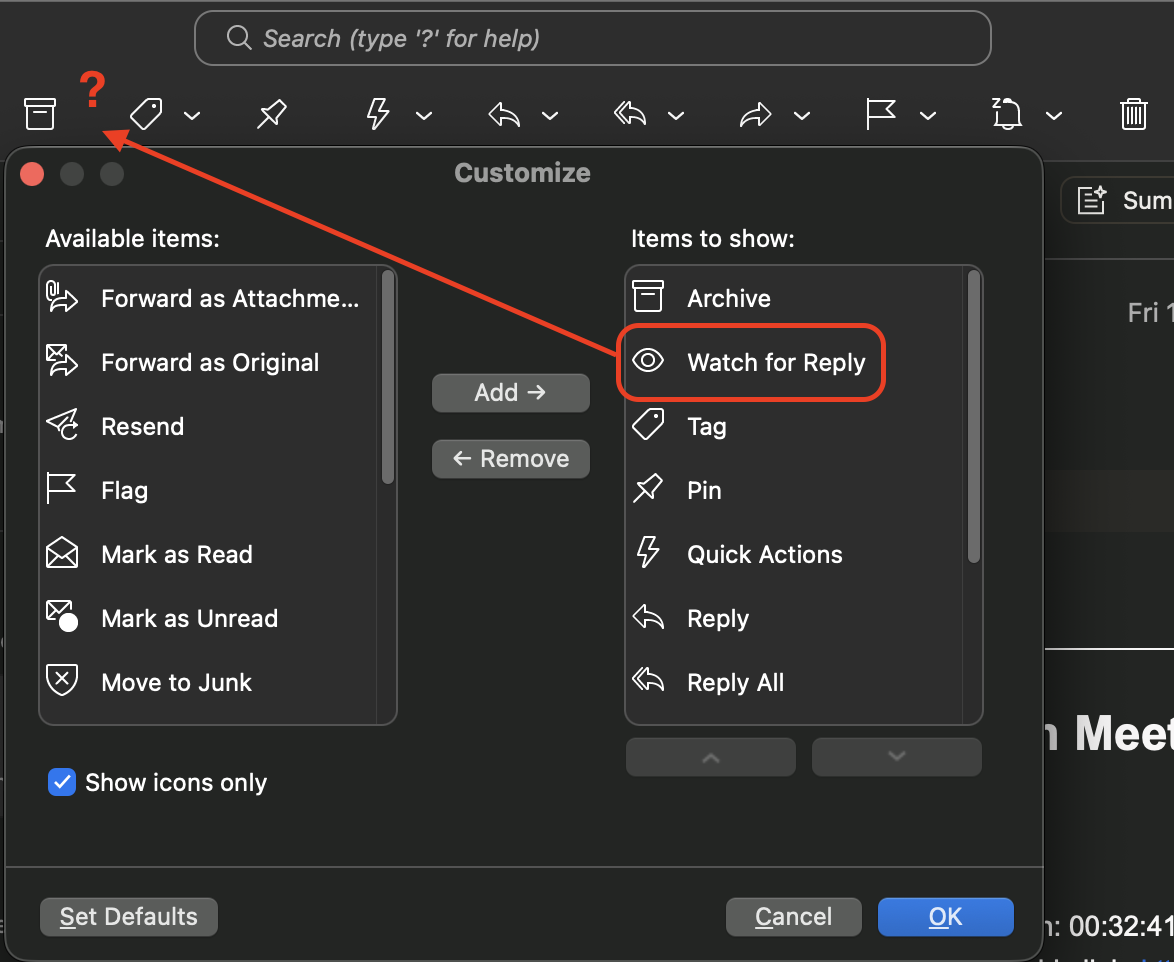
I can’t get the “Watch for Reply” eyeball icon to show in my toolbar.
If I right-click the toolbar, then click “Customize…”, it brings up the customization menu (shown in the screenshot below). I can see that “Watch for Reply” is the second item in the “Items to Show” list, but it does not actually show up in my toolbar after I click “OK”.
If I reopen the same menu, I can see it’s still there in the “Items to Show” list. If I click “OK” again it still doesn’t show up though. I’ve tried moving it to a different spot in the “Items to Show” list (then clicking “OK” again), removing it from the list (then clicking “OK” again), re-adding it back to the list (then clicking “OK” again), and I’ve tried restarting eM Client. Nothing makes it actually show up in the toolbar.
Is this a bug or am I doing something wrong?
(using eM Client 11.0.1267 (ca9fa42) on MacOS Tahoe 26.7.1)