If i create a folder then i cant add the path i want as the option is greyed out.
Sry i don’t know what you mean ?
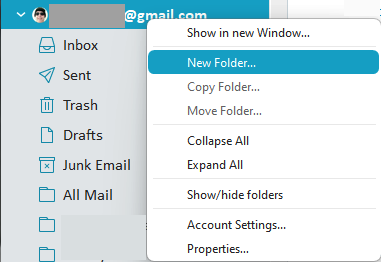
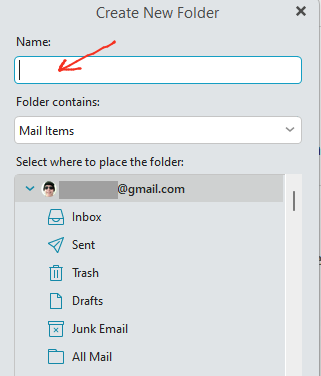
When you create an account parent or sub folder, after right clicking & selecting “New Folder” from the dropdown, you then get a Field appear “Above your account” to type in the Folder name. Then once the new folder is created, you then just drag, move or copy emails into that folder when you want. There is no path required. Only the name of the new Folder.
in my “Menu / Accounts / IMAP” there’s no ignored path section (my client is V10).
are those options only available for PRO users?
No the Ignored paths “as far as i know are also for Free users”. Could possibly be then you are using an eg: older V10 which might not have had that option in your IMAP account.
I am currently using V10.1.4588. So if you don’t have that version, close eM Client and download that from the release history page and install and see if it then appears.